Add a school notice
Paste email text, or choose a photo, PDF or ICS calendar.

 Download on the App Store
A little help for school days
Turn school emails, notice photos and calendars into clear next steps. See what each child needs today, in one place.
App interface: English and Simplified Chinese.
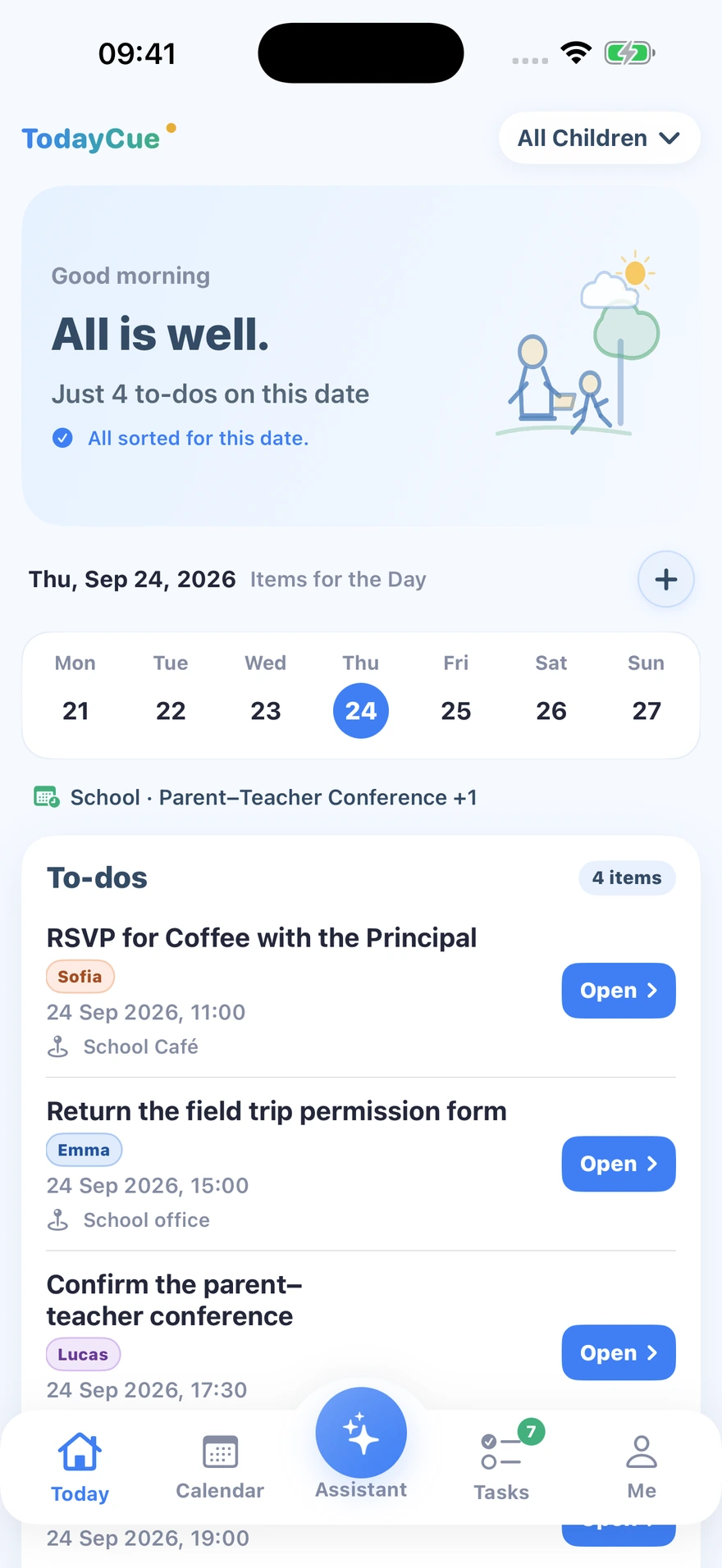
“Return the form by Friday. Bring a water bottle tomorrow.” Keep the actions where you can find them.
Paste email text, or choose a photo, PDF or ICS calendar.
Review dates, places, things to bring and the right child. Edit anything that needs correcting.
Open your daily list, filter by child and set reminders for the important things.
Keep sign-ups, forms and things to pack together. Filter by child or school. A voice note can capture the little things you think of on the go.
It is for parents and guardians. It focuses on the replies, forms, preparations and events that need a parent’s action.
No. You paste email text or choose a file. Review and edit the suggested actions before you confirm and save.
Yes. Assign tasks and school events to the right children, then filter by child or school.
The app is free to download with optional paid features. Free accounts receive 20 shared AI scans per calendar month. See Help for alarm, PDF/ICS export and membership details.