TodayCue 用户支持
如需协助,请在邮件中说明所用 iPhone 型号、iOS 版本、TodayCue 版本,以及问题发生前的操作。请勿发送密码、验证码、完整儿童身份资料或其他不必要的敏感信息。
快速使用指南
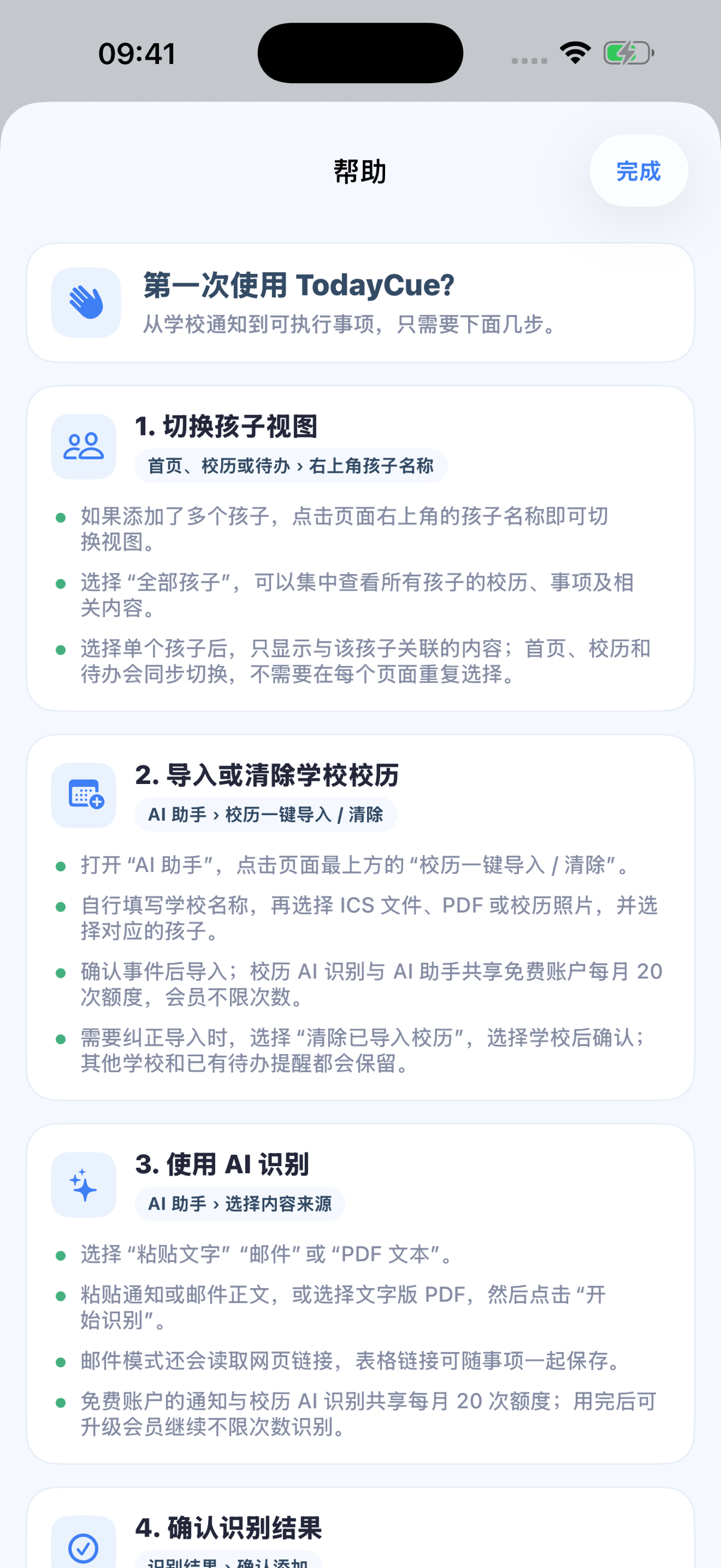
1. 导入或清除学校校历
TodayCue 不预装任何学校校历或学校名单。打开“AI 助手→校历一键导入 / 清除”,自行填写学校名称,再选择 ICS、文字版 PDF 或校历照片,确认孩子和需要导入的事件。如果本机已经导入过同一学校的校历,可选择“覆盖导入”或“不导入”;覆盖只替换该学校此前由用户导入的校历。需要纠正时可按学校一键清除,其他学校和已经加入待办的提醒仍会保留。
2. 使用 AI 并核对重复内容
选择“粘贴文字”“邮件”或“PDF 文本”,识别后逐项核对事项、事件、物品、孩子、时间、地点和邮件链接。不需要的内容可以取消选择,确认按钮显示的数量只计算当前选中内容。若检测到重复事件或物品,可选择继续添加,或跳过重复项。免费账户的学校通知与校历 AI 识别共享每月 20 次额度;清除校历不扣次数,用完后可升级会员继续不限次数识别。
3. 从校历添加提醒
在“校历”中点击事件右侧的灰色按钮即可添加提醒;成功后按钮显示为蓝色。再次点击可删除提醒,但原校历事件仍会保留。已经过期的事件会先询问是否仍然添加。
4. 修改事项与附件
在“今日”或“待办”中打开事项,可修改名称、日期、时间、地点和所属孩子。每个事项最多添加 5 个网页链接、图片或 PDF;完成后可标记为已完成,需要时可从已完成列表恢复。
5. 会员与订阅
免费账户显示“升级账户”;有效会员显示剩余天数和“管理订阅”。月度会员为 €5.99,年度会员为 €49.99,实际付款时以 App Store 显示的当地价格为准。App 内可查看或切换自动续费方案;取消续订请前往 Apple 账户订阅设置。
常见问题
没有收到登录验证码
检查邮箱地址、垃圾邮件文件夹及网络连接,等待数分钟后再试。不要把验证码发送给任何人。
提醒没有出现
在 iPhone“设置→通知→TodayCue”中允许通知,并检查事项提醒时间尚未过去。专注模式和系统通知摘要可能延迟提示。
AI 识别结果不准确
AI 结果只是建议。请在保存前编辑事项名称、日期、地点、孩子和需带物品;不要依赖 TodayCue 处理紧急或高风险信息。
如何管理订阅
有效会员可在 TodayCue“我的→我的账户→管理订阅”中查看或切换月度、年度方案;也可以打开 iPhone“设置→Apple 账户→订阅”取消续订。购买异常和退款由 Apple 处理。
账户状态如何显示
TodayCue 只显示三种明确状态:未登录时为“游客身份”;已登录但没有有效会员时为“免费账户”并提供升级入口;有效会员会显示距离到期的剩余天数和管理订阅入口。当前版本不提供会员转移功能。
如何删除账户
打开 TodayCue“我的→我的账户→删除账户”。删除账户不会自动取消 Apple 订阅,请先在 Apple 订阅设置中取消不再需要的订阅。
Support in English
Email support@today-cue.app with your iPhone model, iOS version, TodayCue version, and the steps that led to the issue. Do not send passwords, verification codes, full child identity records, or unnecessary sensitive information.
Quick guide
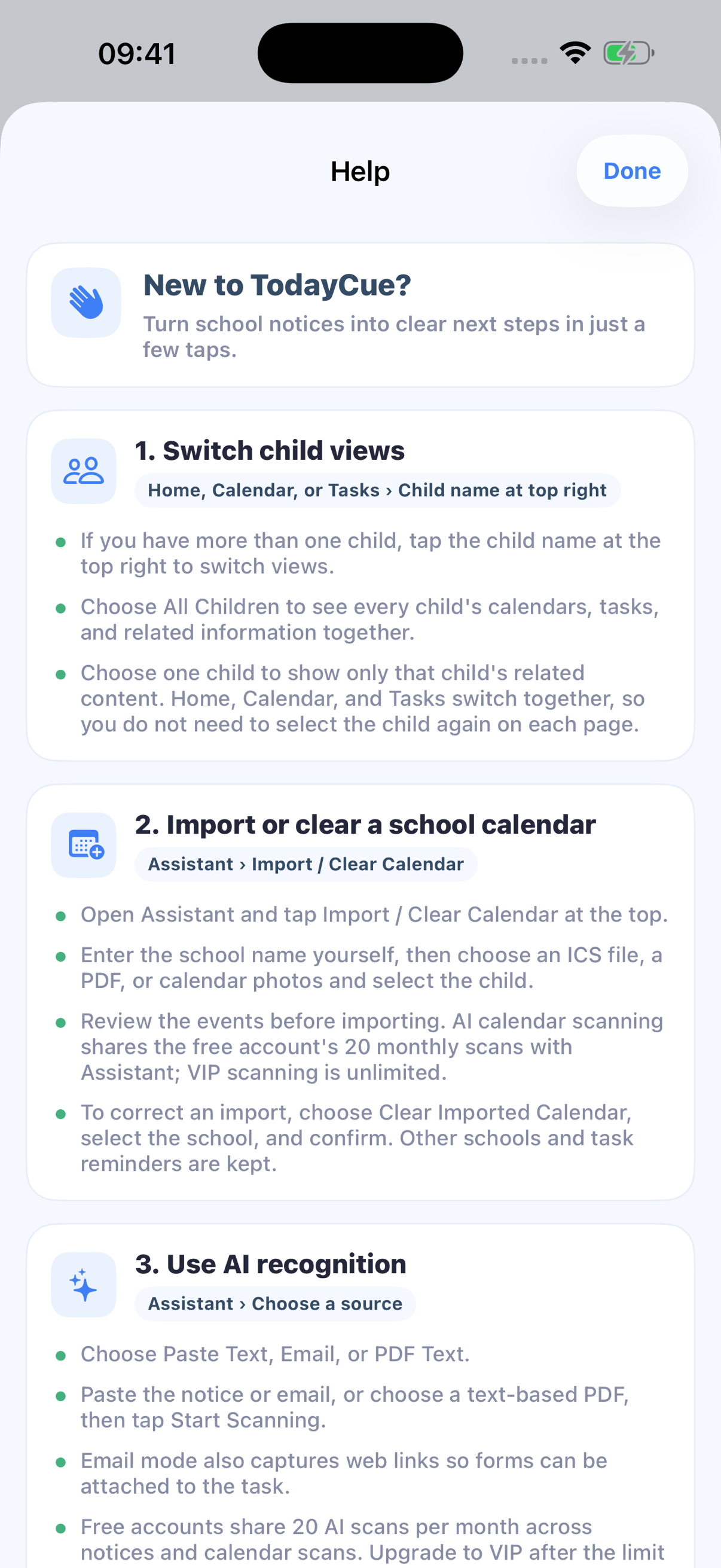
1. Import or clear a school calendar
TodayCue does not preinstall any school calendar or school-name list. Open Assistant → Import / Clear Calendar, enter the school name yourself, and choose an ICS file, text-based PDF, or calendar photos. Review the child and selected events. If that school already has an imported calendar, choose Replace and Import or Don’t Import. You can also clear that school's import while preserving other schools and reminders already added to Tasks.
2. Review AI results and duplicates
Use Paste Text, Email, or PDF Text, then review each task, event, item, child, time, location, and email link. Deselect anything you do not need; the confirmation count includes only selected content. If duplicates are detected, choose Add duplicates or Skip duplicates. Free accounts share 20 monthly AI scans across notices and calendar scans; clearing a calendar uses no scan, and VIP scanning is unlimited.
3. Add reminders from Calendar
Tap the gray control beside an event to add a reminder. It turns blue when active. Tap again to delete only the reminder while keeping the calendar event. Expired events ask for confirmation first.
4. Edit tasks and attachments
Open a task from Today or Tasks to edit its title, date, time, location, or child. Add up to five web links, images, or PDFs. Completed tasks can be restored later.
5. Membership and subscriptions
Free accounts show Upgrade Account. Active members see remaining days and Manage Subscription. Plans are €5.99 monthly or €49.99 yearly; the App Store shows the applicable local price. View or switch plans in TodayCue and cancel renewal in Apple Account settings.
For notification issues, allow TodayCue notifications in iPhone Settings and check Focus and Scheduled Summary. Review every AI result before saving.
How do I manage a subscription?
Active members can open My → My Account → Manage Subscription to view or switch monthly and yearly plans. Use iPhone Settings → Apple Account → Subscriptions to cancel renewal.
How is account status shown?
TodayCue shows one of three clear states: Guest when signed out; Free account with an upgrade action when signed in without an active membership; or remaining membership days with Manage Subscription for an active member. Membership transfer is not available in this version.
Delete your TodayCue account from My Account. Account deletion does not cancel an Apple subscription.